RADHE LIVE SELLER SOLUTION
From live comment to packed parcel — with the original evidence still in front of you.
Sellers lose orders in chats, screenshots, and memory. This private workspace turns owned recordings, comments the seller holds, and manual claims into confirmed orders the client can pack, label, and hand over the same night — without rebuilding the live from a phone.
Original recordings, comments, buyer details, and payment proofs stay private to the seller organization. Not a broadcasting app. Not a marketplace.
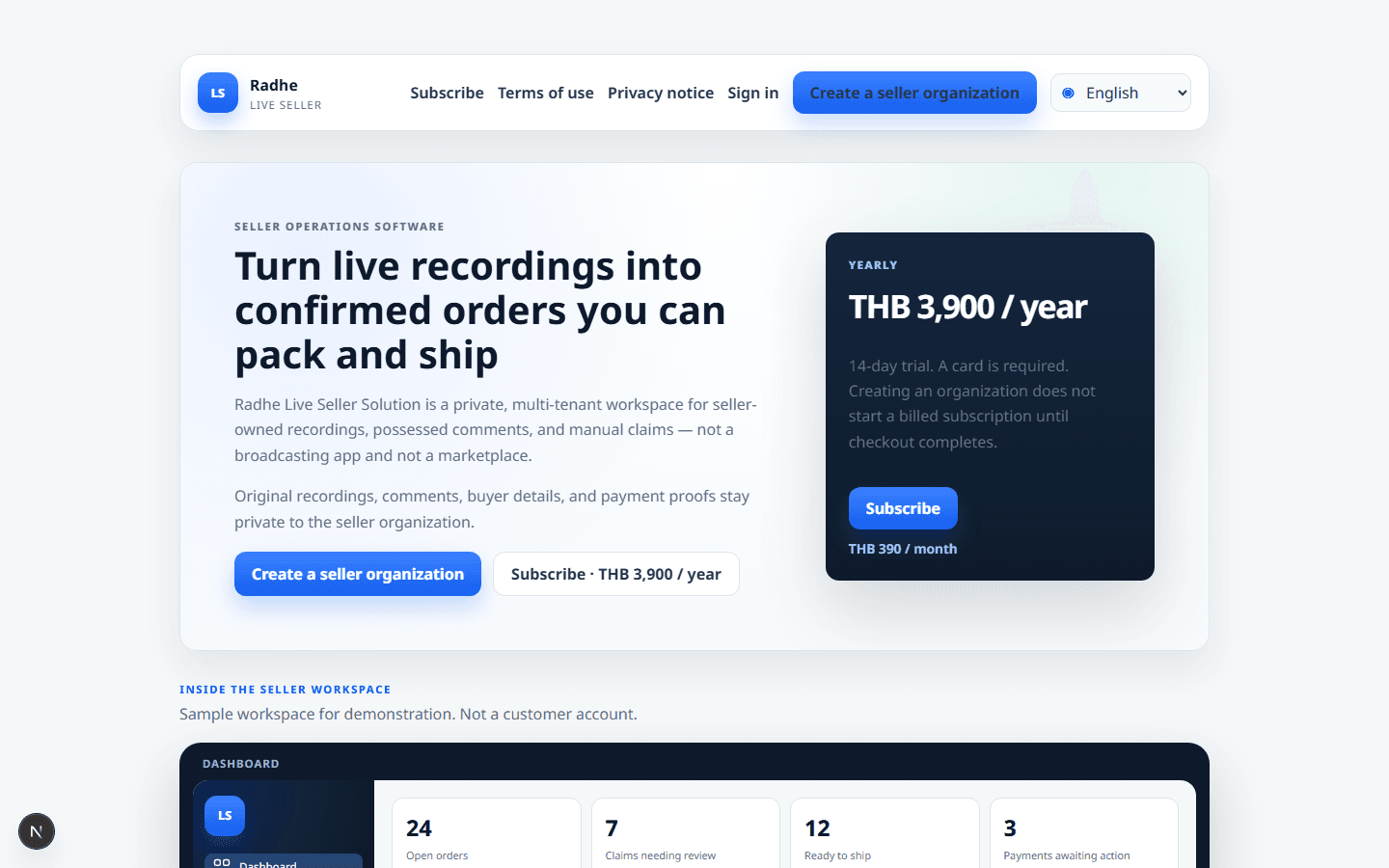
AVAILABLE · THB 390 / MONTH
- Private evidence by default
- Upload in Live Sessions
- Label Created is not Shipped
- THB 390 / month
- 14-day trial
- No card required
14
Workspace modules, including Live Sessions upload
10
Application languages, including RTL
3
Sample SKUs in the demonstration workspace
1
Owned recording on the Live Sessions page
Sample workspace for demonstration. Not a customer account.
WHERE THE VIDEO GOES
Sellers upload the recording inside Live Sessions.
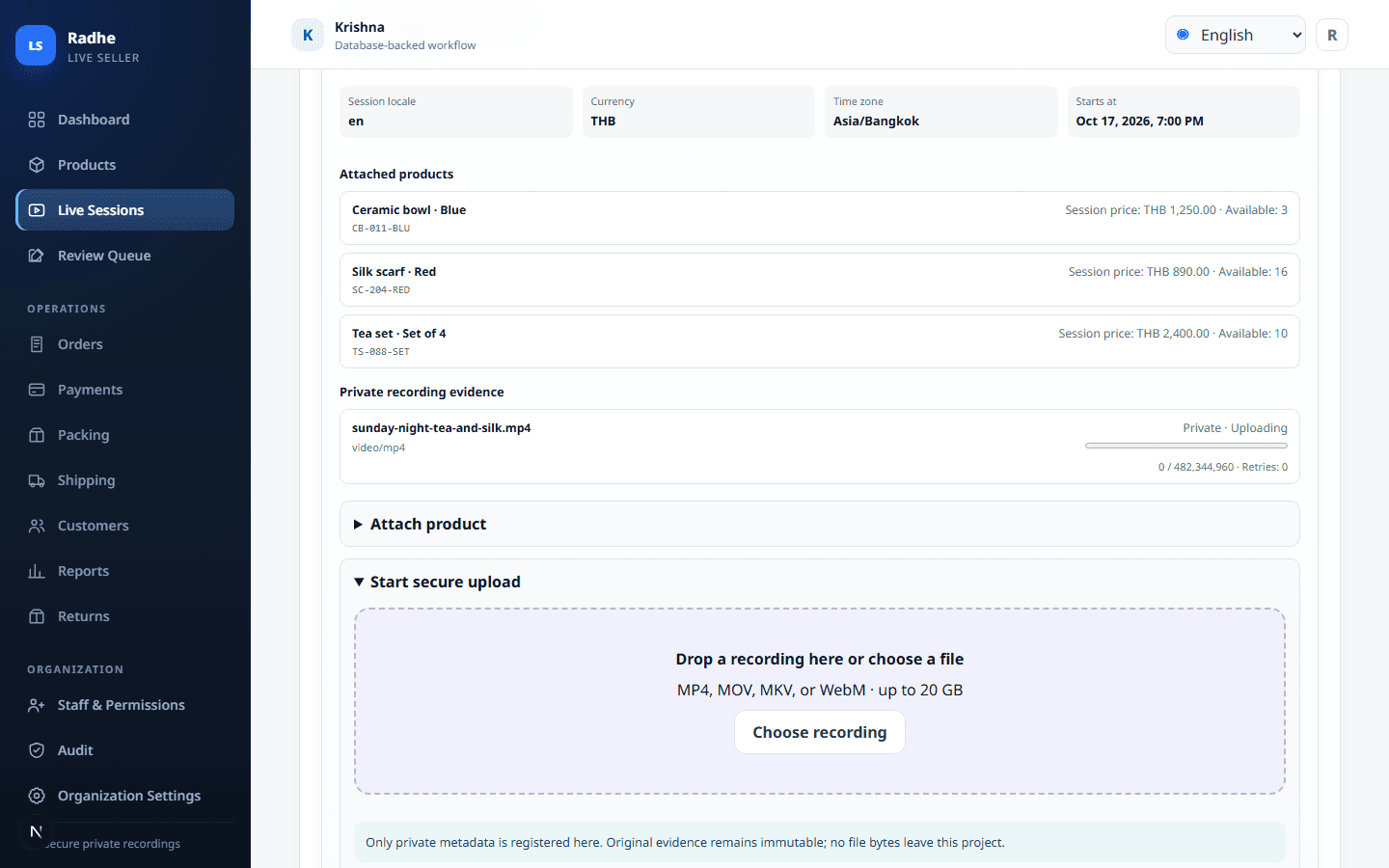
After the live ends, open Live Sessions. Create or open that night’s session. Use Start secure upload. The original file stays private to the seller organization, then review sits next to the same recording.
- Workspace → Live Sessions → the night’s session → Start secure upload
- Private files only: MP4, MOV, MKV, or WebM, up to 20 GB. Not a public video host.
- The original recording is evidence. Later edits never replace it.
THE PROBLEM CLIENTS ALREADY HAVE
The sale happened on live. The work starts when the camera stops.
A live seller does not need another marketplace. They need a place that keeps the comments they already have, confirms only what is visible, and lets packing finish the night without guessing.
Orders live in chats and screenshots
After the live, staff reconstruct “I’ll take two” from LINE, Facebook, or a phone gallery. The original comment is not the system of record, so the same buyer is asked twice and another is missed.
Stock is promised twice
The host sells the last tea set on camera while packing already reserved it. Without on-hand quantity in view, reputation is spent before the parcel exists.
The wrong SKU leaves the table
Uncertain comments become parcels because nobody sat the claim next to the original text and the recording. The buyer receives a scarf instead of a bowl.
Reports say shipped when it is still packed
Printing an address is not a courier handover. If Label Created is treated as Shipped, the owner cannot tell what actually left.
Buyer data sits on personal phones
Addresses, transfers, and payment proofs stay in staff chats. There is no organization-scoped record the owner can audit after a dispute.
The host cannot keep selling
The presenter becomes the night’s clerk at 1 a.m., walking comments one by one. The next live suffers because last night never closed.
WHAT THE CLIENT GETS
A night-after workspace that protects the sale they already made.
The benefit is operational: fewer lost comments, no silent half-fills, honest packing, and a record the owner can stand on. It is not a broadcasting app and not a marketplace.
Close the live from a queue, not from memory
Import comments the seller holds. Staff walk High Confidence, Review Required, and Confirmed in one list. The original text stays locked.
Protect stock and the host’s word
A confirmed claim gets the full quantity or goes on the wait-list in a stable position. There is no quiet partial fill that leaves a buyer short.
Pack the same night with an honest status
Print thermal 4 × 6 in and A4 standard address labels, including bulk. Printing sets Label Created. Shipping is a separate dispatch when the courier actually takes the parcel.
Keep buyer information inside the organization
Addresses, payments, and proofs are private by default. Access is scoped to the seller organization. Nothing here requires a public buyer portal.
Let the presenter stay on camera
Review, unpaid checks, and packing live in the workspace. The host does not have to rebuild the night from a phone after the live ends.
Run the floor in the language the team already uses
English, Thai, Simplified Chinese, German, French, Russian, Hebrew, Hindi, Spanish, and Arabic. Hebrew and Arabic are complete RTL, including print.
WHY SELLERS USE IT
Keep the sale you already made on live.
The product is built for the hour after the live ends: comments that meant “I’ll take it”, stock that must not be promised twice, and parcels that have to leave with the right address.
Stop reconstructing orders from chat history
Import comments the seller holds and keep the original text immutable. Staff work from the record, not from a screenshot buried in a phone.
Confirm only after the evidence is visible
Review sits next to the original comment and the recording. Uncertain output never becomes a confirmed order by itself. High Confidence, Review Required, Unresolved, Rejected, or Confirmed — you choose.
Never silently give away stock
A confirmed claim gets the full quantity or goes on the wait-list. There is no quiet partial fill that leaves a buyer short and a ledger wrong.
Pack the same night without pretending it shipped
Print thermal 4 × 6 in and A4 standard address labels, including bulk. Printing sets Label Created. Dispatch is a separate handover, so reports stay honest.
Keep buyer data inside your organization
Addresses, payments, and proofs are private by default. Access is scoped to the seller organization. Nothing here requires a public buyer portal.
Run the floor in the language the team already uses
English, Thai, Simplified Chinese, German, French, Russian, Hebrew, Hindi, Spanish, and Arabic. Hebrew and Arabic are complete RTL, including print.
Let the host keep selling while staff finish the work
Review, packing, and unpaid checks live in the workspace. The presenter does not have to rebuild the night from a phone at 1 a.m.
Keep returns and refunds from fighting each other
Stock comes back only when a return is resolved. A refund of a paid amount is a separate action, so the ledger and the shelf stay independent.
HOW A LIVE SALE BECOMES A PARCEL
One path from comment to handover.
Each step is recorded. Staff can see what the buyer wrote, what was confirmed, what was packed, and when it left.
01
Upload the owned recording in Live Sessions
Open Live Sessions, open that night’s session, then Start secure upload. The original file stays private. This is where the video goes.
02
Review beside the evidence
Open the claim next to the comment and the exact video moment. Confirm, reject, or leave it unresolved.
03
Allocate or wait-list
If stock covers the full quantity, reserve it. If not, the buyer waits in a stable position — never a silent half-fill.
04
Record the order and payment
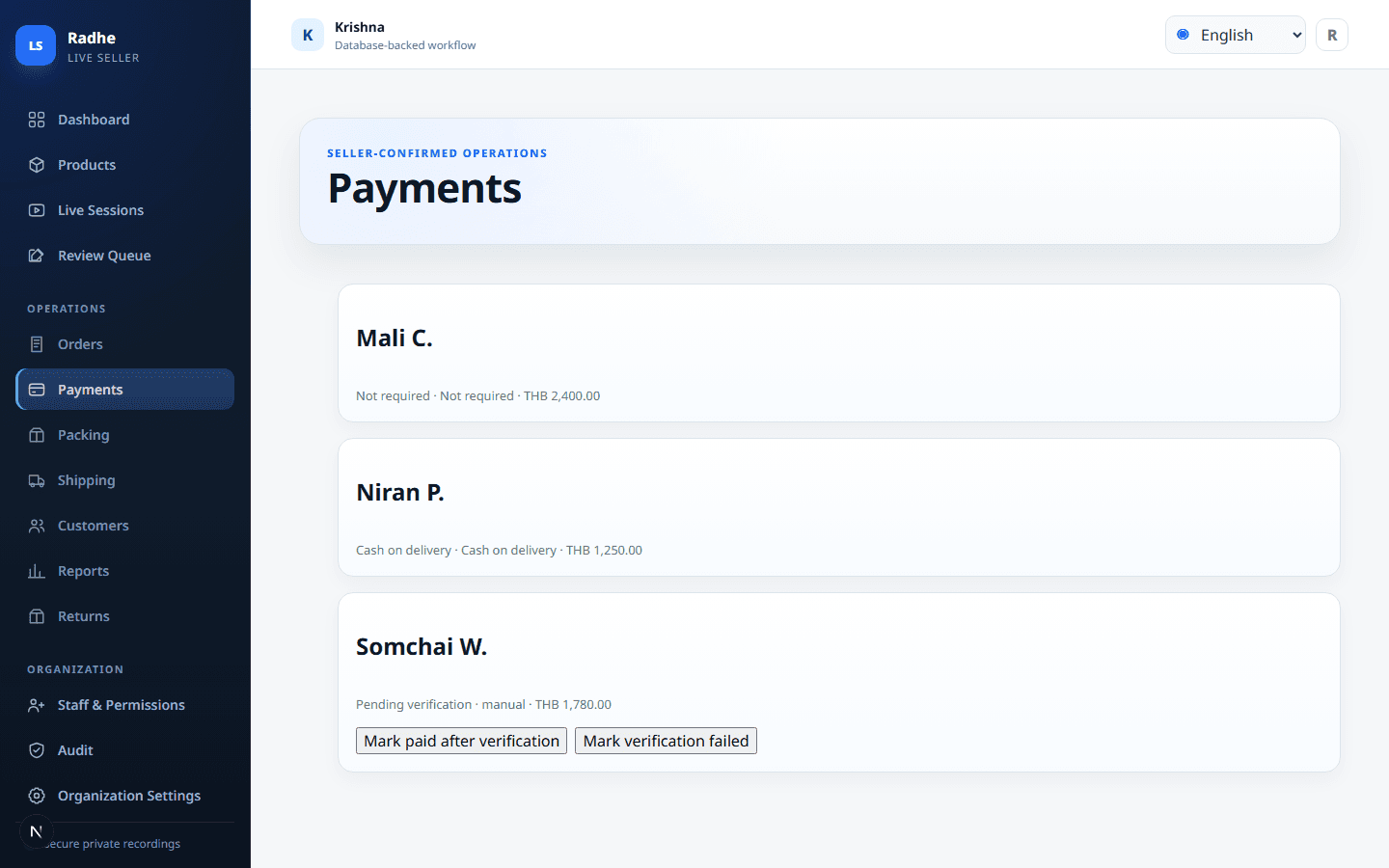
Create the seller-recorded order. Mark manual transfer, COD, or not required. Proofs stay on the order, not in a chat.
05
Pack and print a standard label
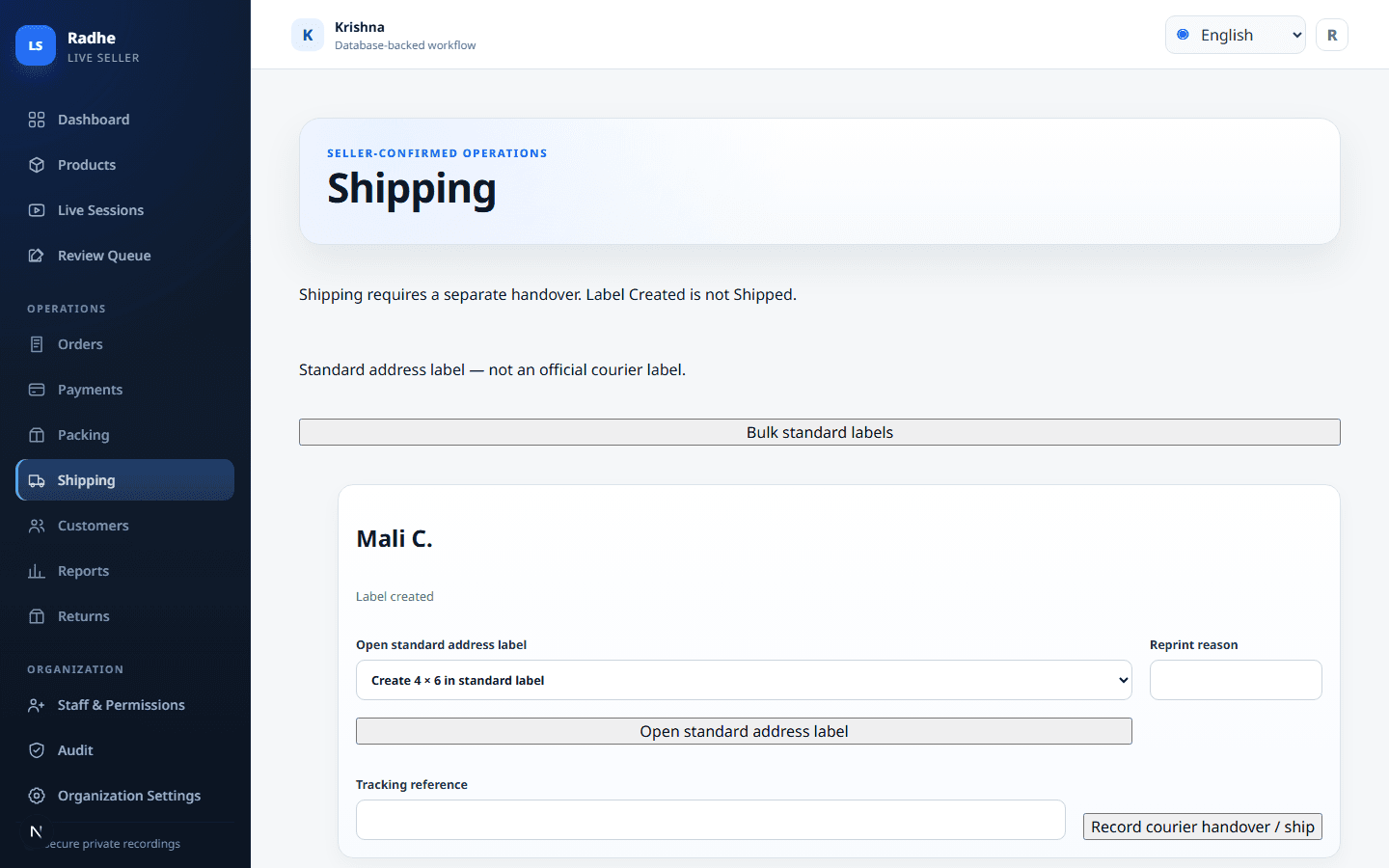
Print 4 × 6 in or A4 address labels. The document is a standard address label, not an official courier label.
06
Hand over to ship
Shipping happens only on a separate dispatch event. Label Created is never Shipped.
HOW A CLIENT USES IT THE SAME NIGHT
A practical night after the live ends.
1. Upload the recording in Live Sessions
Open Live Sessions, Start secure upload, then import comments the seller holds. The original file and original text stay locked.
2. Staff walk the review queue, not the chat
High Confidence can move faster. Review Required waits for a person. Confirmed is the only path that may allocate stock.
3. Stock is reserved in full or the buyer waits
No silent half-fill. If two tea sets were promised and one remains, the second claim is wait-listed in a stable position.
4. Payment proof sits on the order
Manual transfer, COD, or not required. The packing table can see unpaid before a label is printed.
5. Labels print; shipping is a later handover
Print, reprint with a reason, then mark dispatch when the parcel actually leaves. Reports stay honest for the owner.
WHO IT IS FOR
Built for teams that sell on live and pack in-house.
Sample workspace for demonstration. Not a customer account.
Live sellers who own the recording
You already captured the show. You need the comments that became orders without rebuilding them from memory.
Packing and order staff
See what is confirmed, what is unpaid, and what is ready to pack. Print the address. Hand over when the courier actually takes it.
Owners who need a clean audit
Every confirmation, allocation, reprint, return, and refund is attributable. Original evidence is never overwritten.
EVERY MODULE IN THE WORKSPACE
The full night-after floor — not a five-screen teaser.
These are real screens from the signed-in app. Sample data is for demonstration, not a customer account.
Dashboard
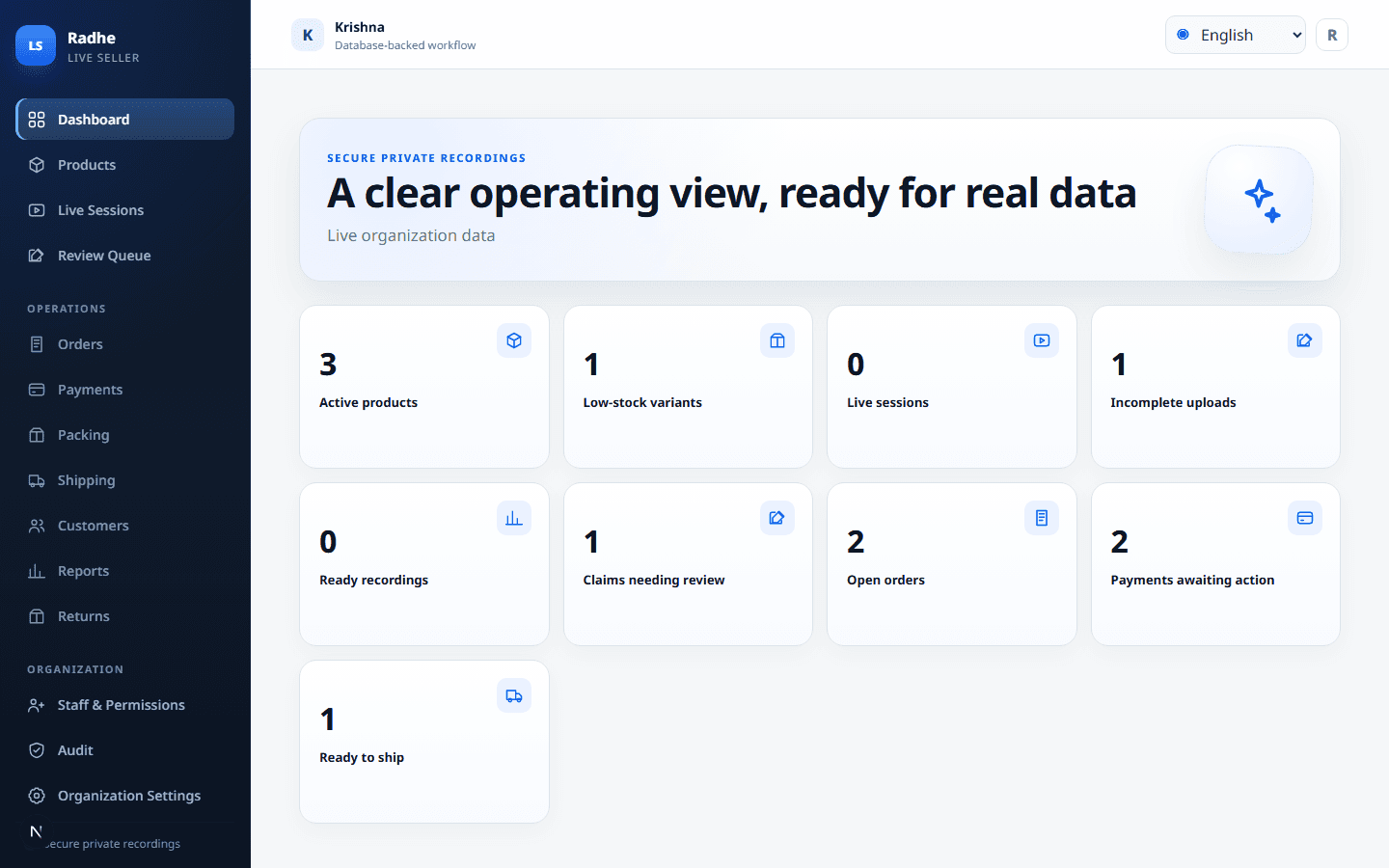
See open orders, review, unpaid, ready-to-ship, and incomplete uploads on one board.
Products
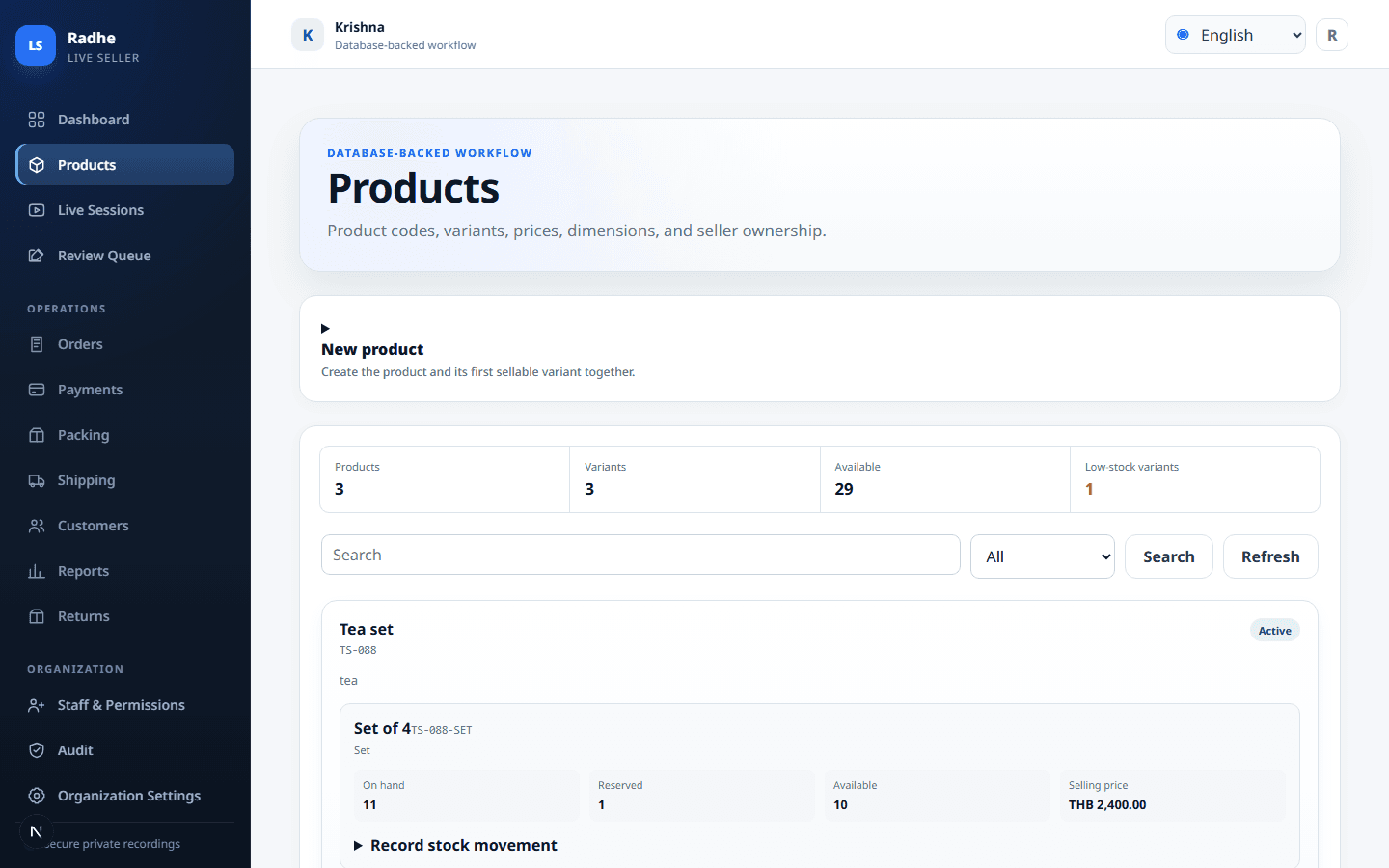
Catalog, variants, on-hand quantity, and low stock before the next live.
Live Sessions
This is where sellers upload the owned recording and attach the night’s SKUs.
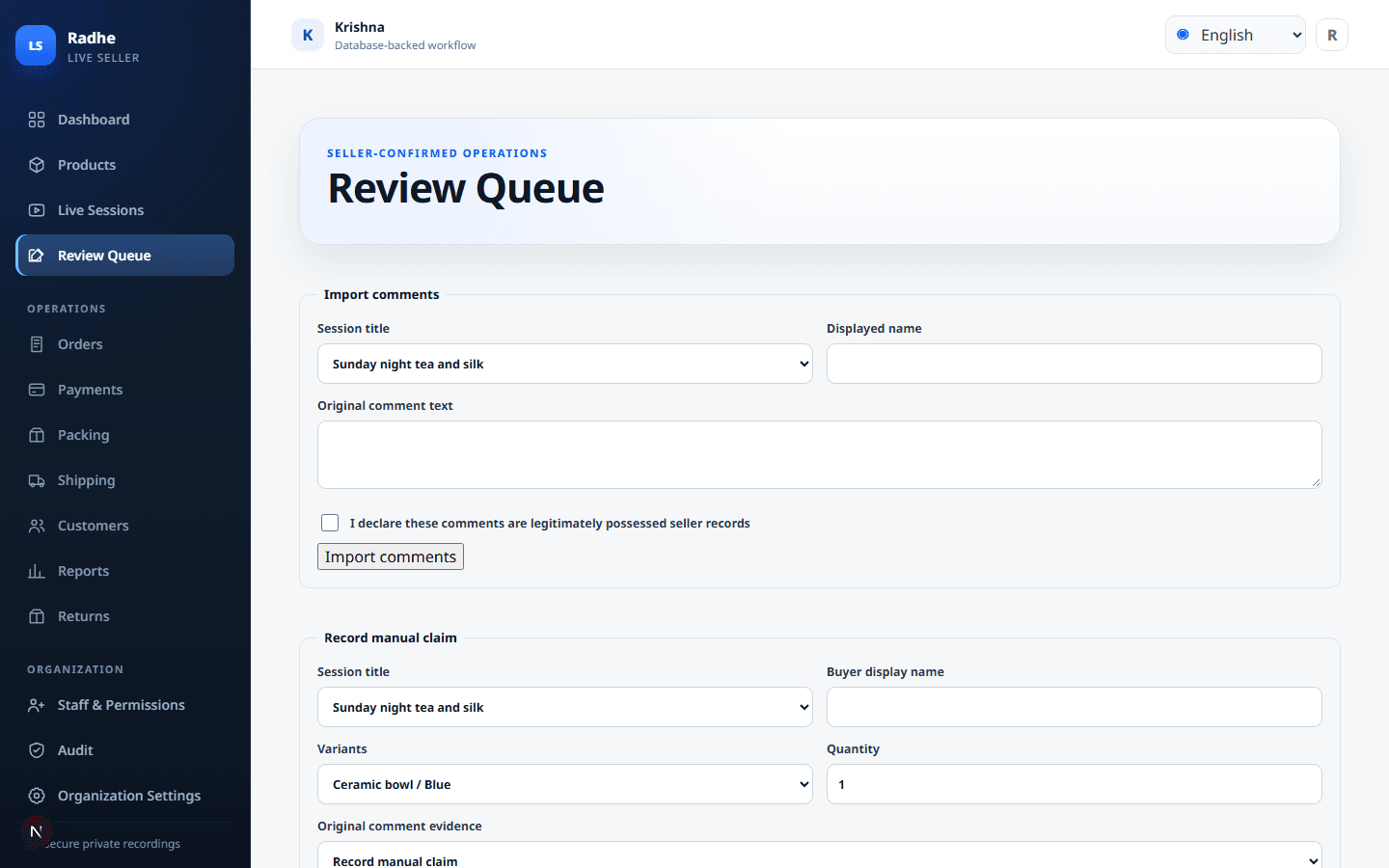
Review Queue
Confirm, reject, or leave unresolved after the original comment and recording are visible.
Orders
Confirmed, unpaid, packed, and wait-listed stay in one list.
Payments
Manual, COD, or not required. Proof stays on the order, not in a chat.
Packing
Ready, start, pack. Printing is Label Created, not Shipped.
Shipping
Dispatch only after courier handover. Tracking is a seller-recorded reference.
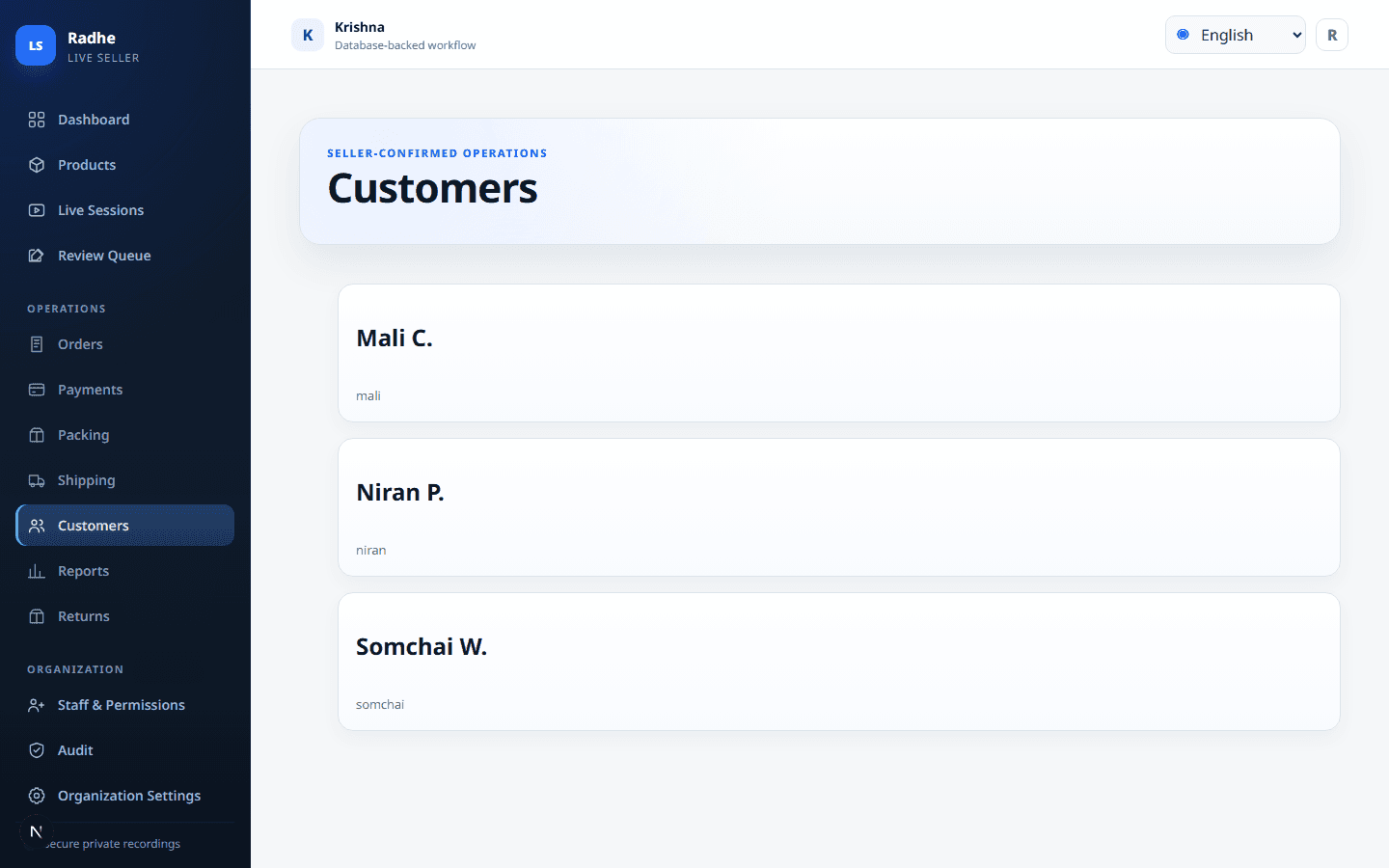
Customers
Buyer names, handles, and addresses stay organization-scoped.
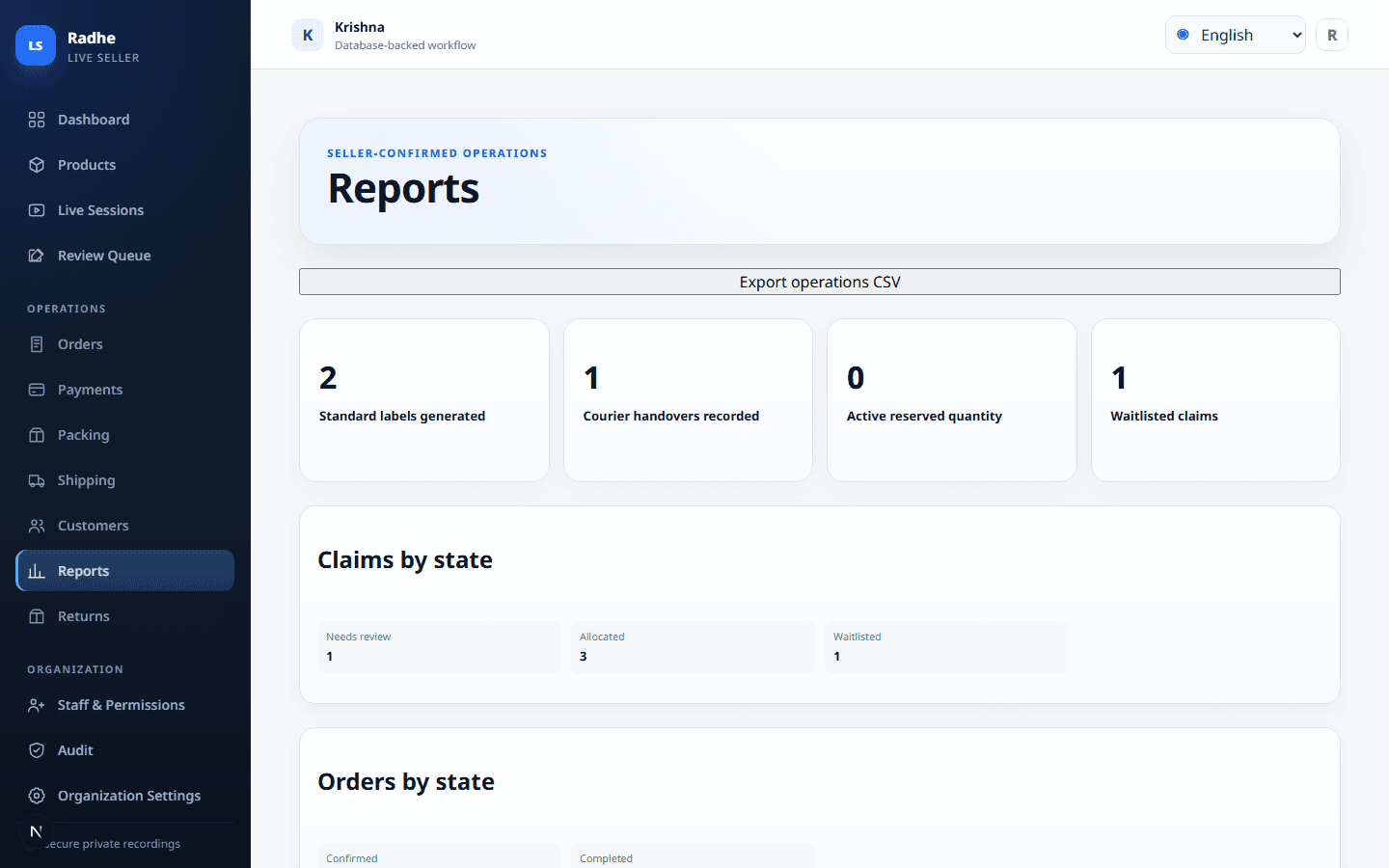
Reports
Reconcile the night without mixing Label Created with Shipped.
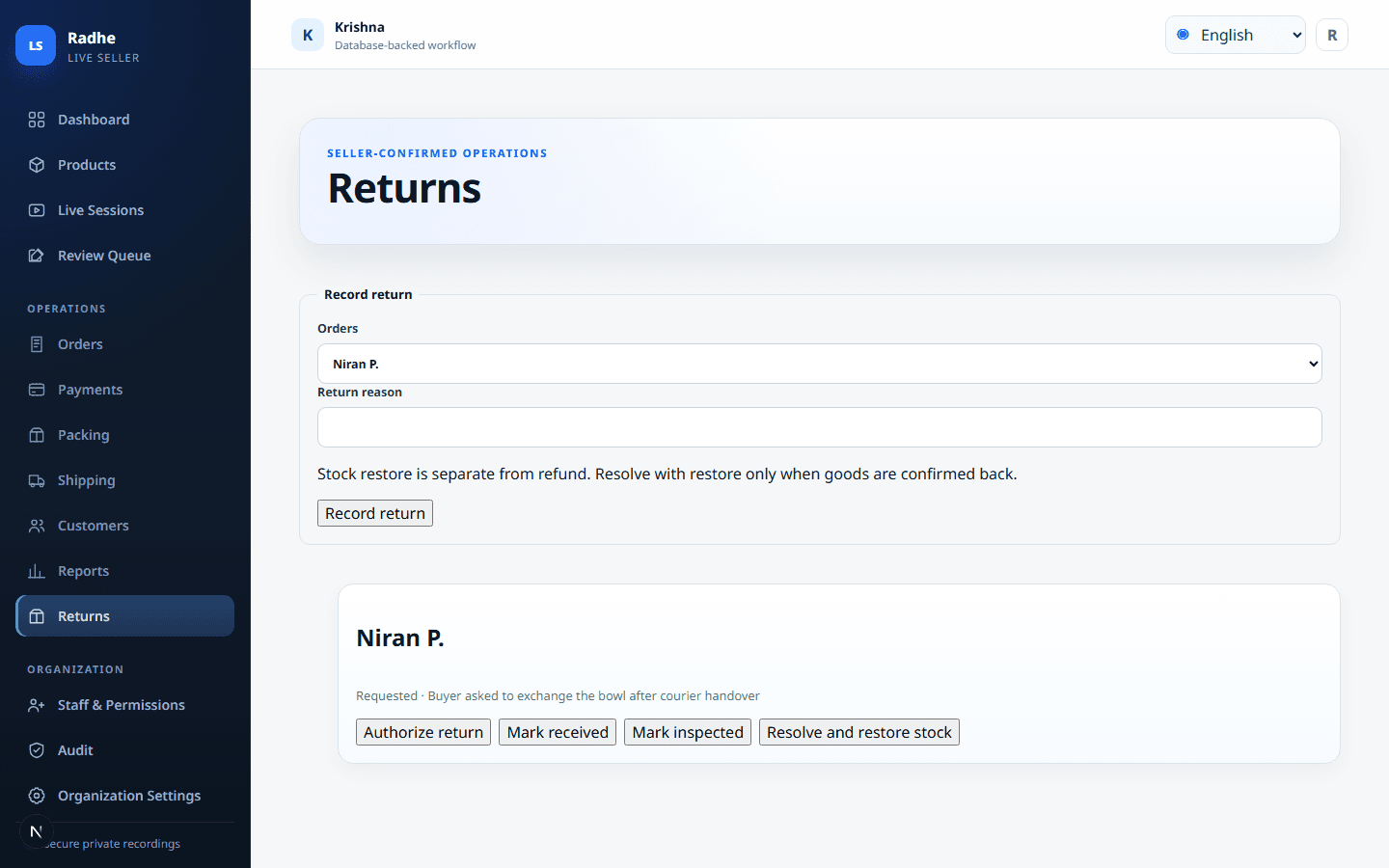
Returns
Open a return from a shipped order. Stock and refund stay independent.
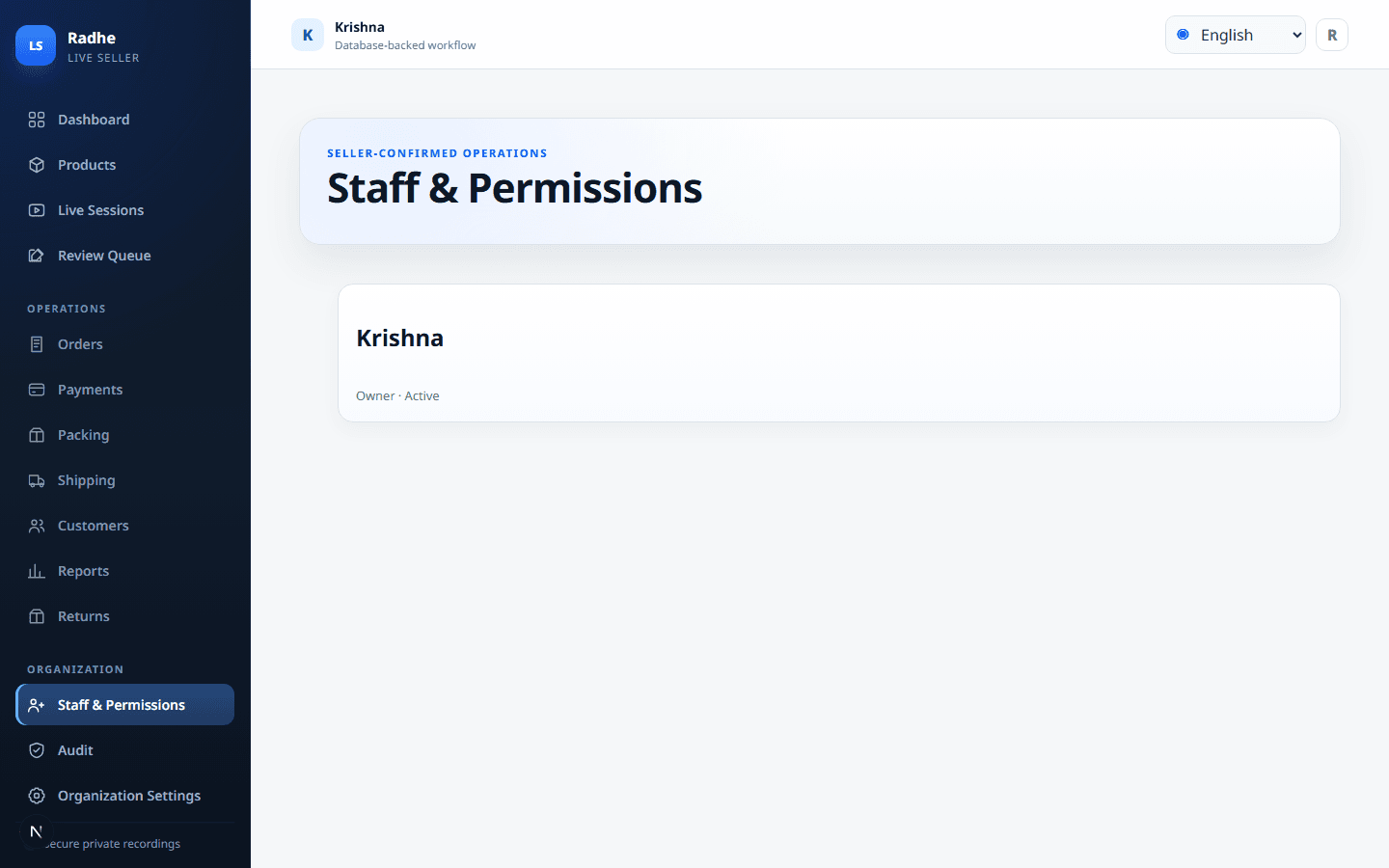
Staff & Permissions
Least privilege for review, packing, labels, and dispatch.
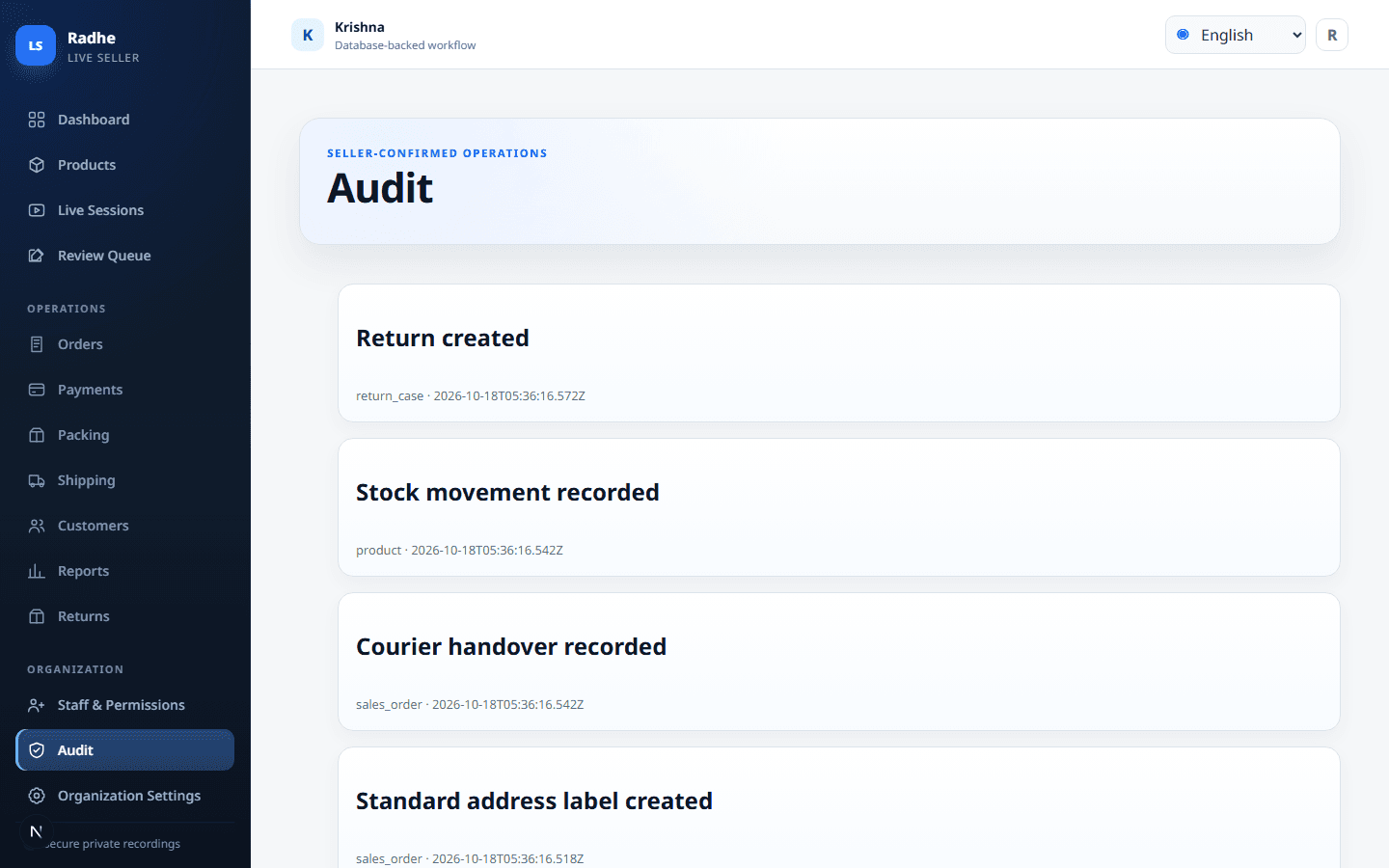
Audit
Attributable history for confirmations, allocations, reprints, and refunds.
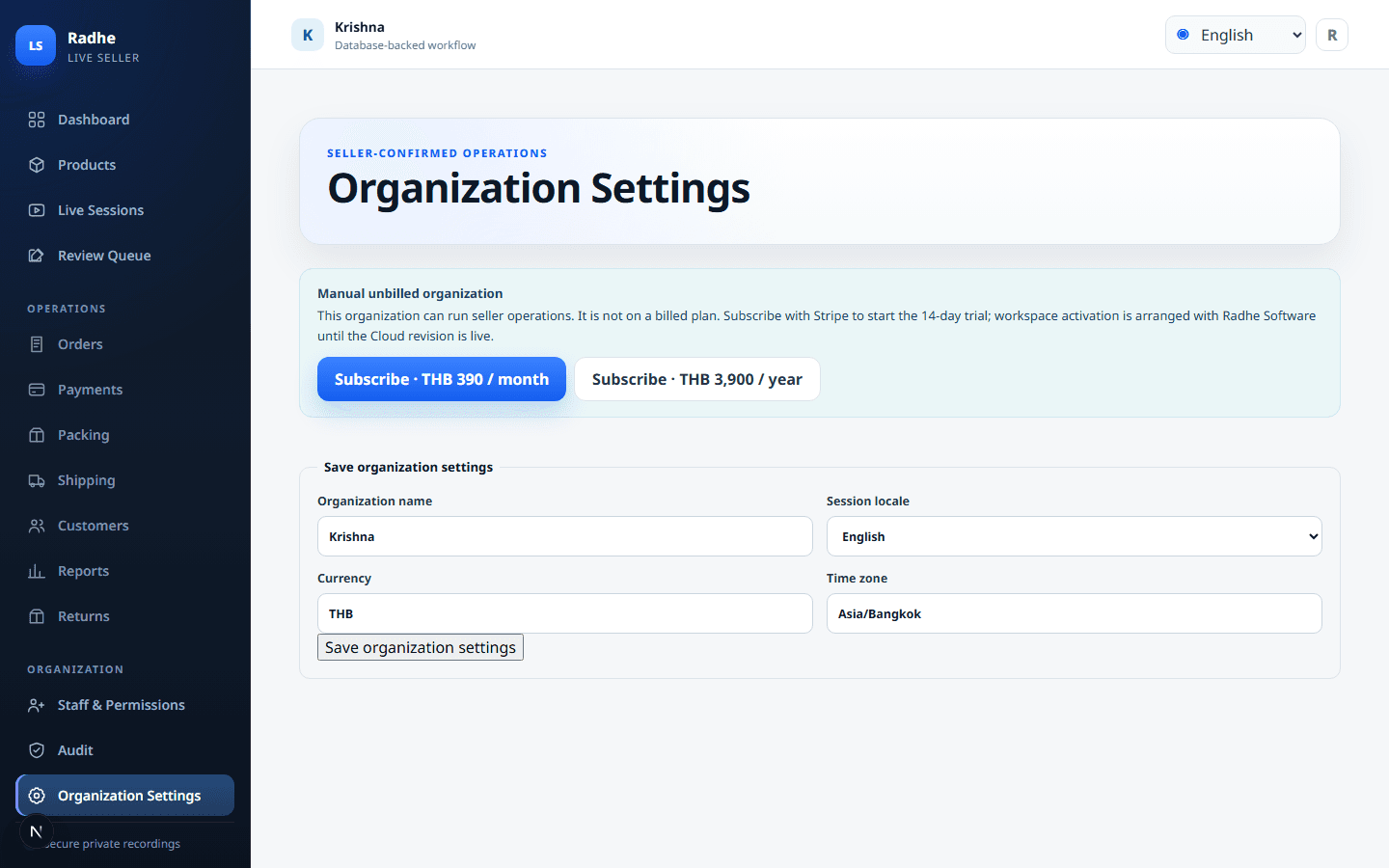
Organization Settings
Locale, currency, and time zone for the seller organization.
SEE THE WORKSPACE
Each screen exists to finish a live sale.
These are working product surfaces, shown with sample data. They are not a customer account. Use them to see how a client actually closes the night after the live.
Live Sessions: this is where the video is uploaded
The recording does not go on the dashboard and is not a public link. Staff open Live Sessions, keep the original file private, and later compare claims with that same evidence.
- Start secure upload accepts MP4, MOV, MKV, or WebM
- Private recording evidence stays attached to the session
- Uncertain extraction never becomes an order by itself
Dashboard: know what still needs a person
Open orders, claims in review, ready-to-pack, and unpaid sit on one board. The owner sees the bottleneck without opening ten chats — so the team can finish tonight’s live instead of reconstructing it tomorrow.
- 24 open orders, 7 in review, 12 ready to pack, 3 unpaid — demonstration figures, not a customer account
- The client sees whether the night is blocked on review, packing, or payment
- The host does not have to ask staff “where are we?” in a chat
Review: settle the comment against what was written
Staff open the original comment beside the claim. Uncertain lines stay in Review Required until someone looks. That is how the client avoids packing the wrong SKU and arguing with a buyer the next day.
- “2 scarf” can move as High Confidence; “bowl COD” waits as Review Required; “tea set” is Confirmed only after a person agrees
- The original comment stays immutable. Later edits never overwrite what the buyer wrote
- Uncertain AI or OCR output never becomes an order by itself
Products: see stock before the next live starts
On-hand quantity is visible per SKU. Low stock is marked before the host promises another unit on camera. The client stops selling inventory they cannot pack.
- Silk scarf 18 on hand, ceramic bowl 4 on hand, tea set 11 on hand — sample catalog
- Low stock is visible to packing before the next live, not after a double promise
- Source labels are free text for reporting. No marketplace controls the catalog
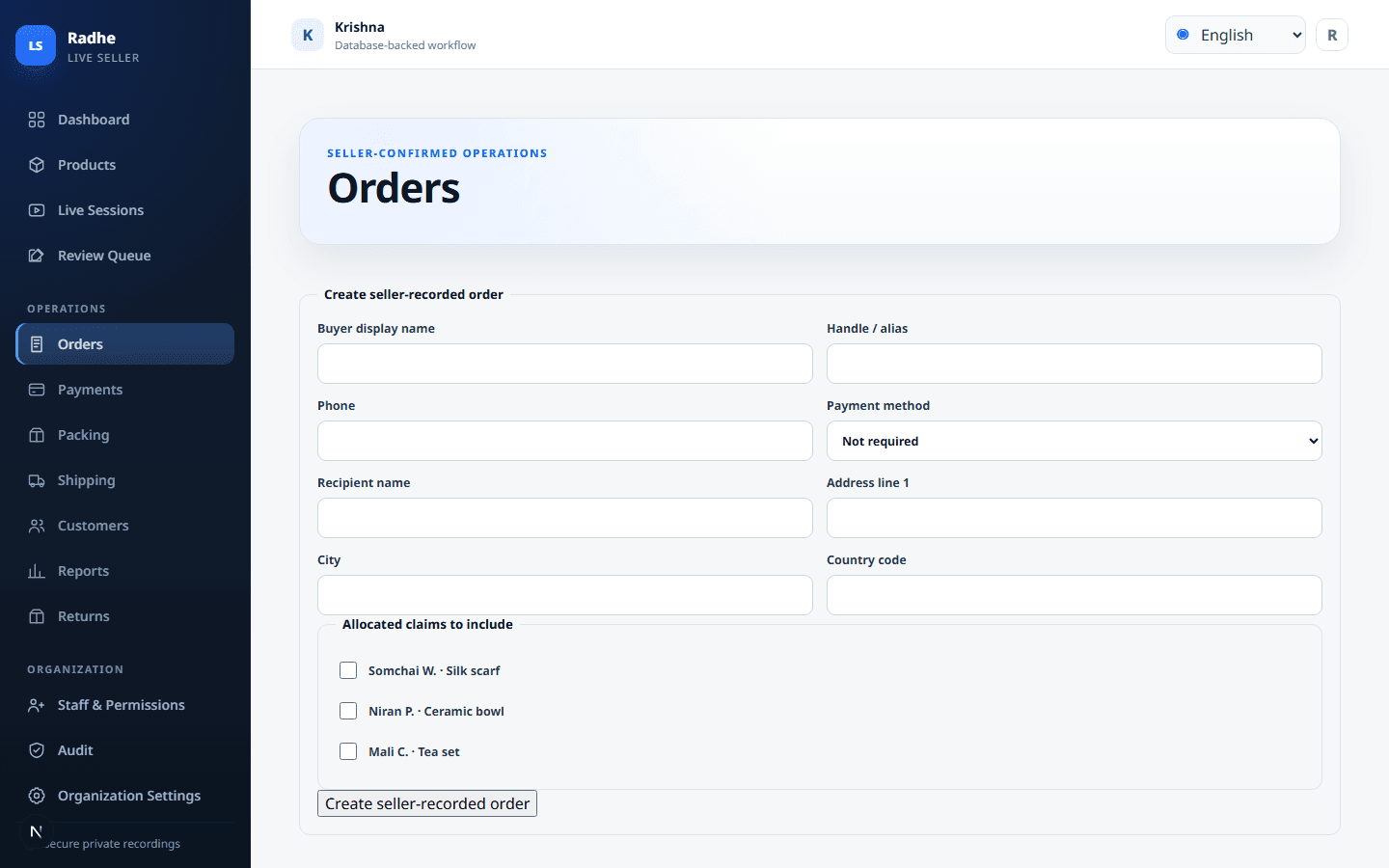
Orders: one list for confirmed, unpaid, packed, wait-listed
The packing table does not guess who paid. Wait-listed buyers keep position. Packed orders show Label Created until handover. The client can tell money, stock, and shipping apart.
- LS-1042 stays Confirmed · unpaid until proof is on the order
- LS-1043 is Packed · label created — not Shipped
- LS-1044 keeps wait-list position when stock cannot cover the full quantity
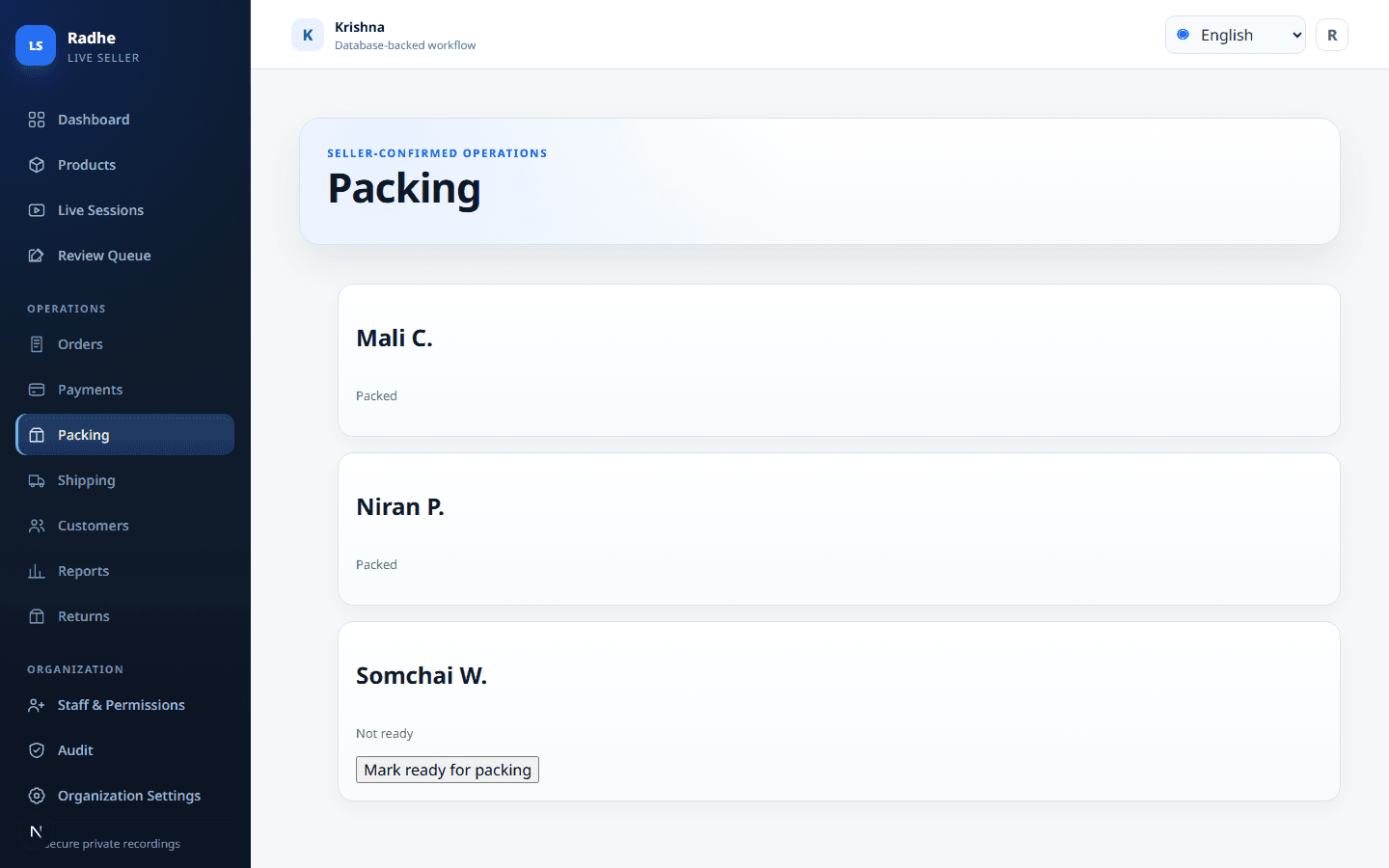
Packing: print the address without calling it shipped
Thermal 4 × 6 in and A4 standard address labels, including bulk. Printing is Label Created. The courier handover is the shipping event. Reports stay honest for the owner.
- Country-aware addresses and multilingual fonts, including RTL
- Reprint requires a reason and is stored in history, with duplicate warnings
- A standard address label is never represented as an official courier label
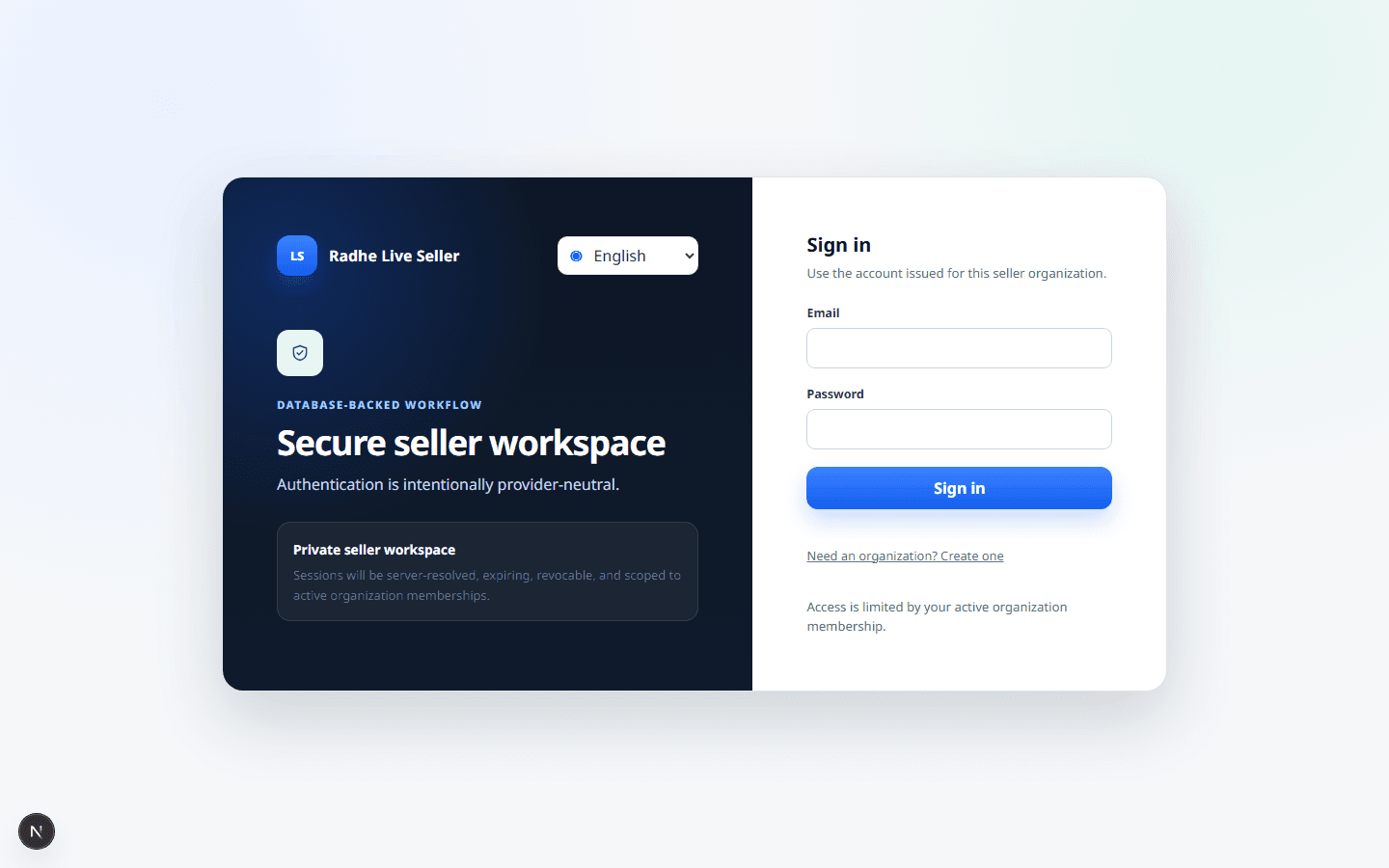
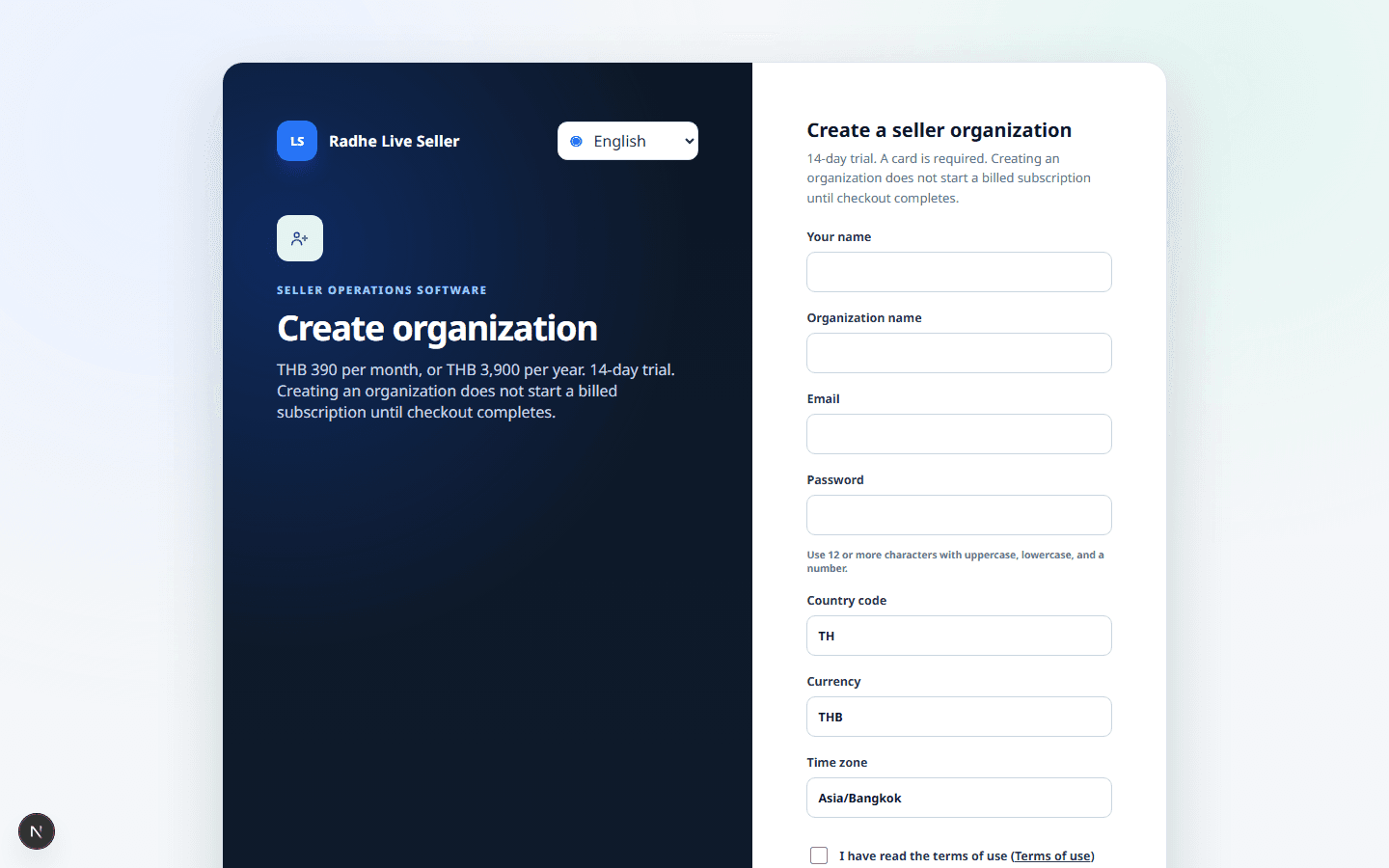
Sign-in and sign-up: keep the workspace private
Sessions stay inside the seller organization. Creating an organization does not start a billed subscription until Stripe checkout completes. Buyer data is not parked on a personal phone.
- Private workspace: each seller only sees their own recordings, comments and orders
- Signed, short-lived access for private files instead of public links
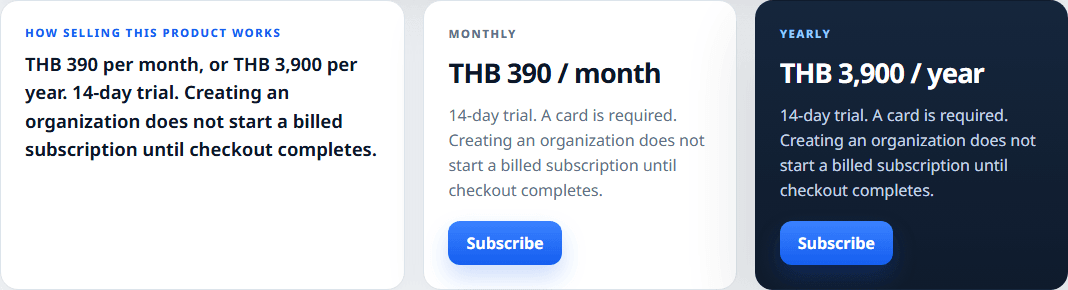
- THB 390 / month or THB 3,900 / year. 14-day trial. No card required. Creating an organization starts the trial.
What sellers can run today
- Upload owned recordings in Live Sessions as private evidence
- Import comments the seller holds and keep the original text immutable
- Confirm, reject, or leave claims unresolved after viewing evidence
- Allocate full quantity or wait-list — never a silent partial fill
- Record orders, manual / COD / not-required payments, packing, and handover
- Print thermal 4 × 6 in and A4 standard address labels, including bulk
- Record returns, restore stock only on resolve, and refund paid amounts separately
Not included
- No Shopee or Lazada managed-order import or sync
- No required payment, OCR, courier, or messaging provider
- OCR, transcription, and automatic comment extraction are not sold as ready
- Standard address labels are not official courier labels
- Buyer checkout portal is not included
Monthly
THB 390 / month
14-day trial. No card required. Creating an organization starts the trial; a paid subscription starts only after checkout.
Yearly
THB 3,900 / year
Two months less than paying monthly.
14-day trial. No card required. Creating an organization starts the trial; a paid subscription starts only after checkout.
Card billing
Stripe checkout is live. Subscribe here. After payment, contact Radhe Software to activate the seller workspace. A public self-serve app hostname is published only after this product’s Cloud revision is live.
Locked operating rules
Printing a label sets Label Created, not Shipped. Dispatch is a separate handover.
Uncertain AI or OCR output never becomes a confirmed order by itself.
Creating an organization does not start a billed subscription.
Need help after checkout?
Payment confirms the subscription. Workspace activation is still arranged with Radhe Software until the Cloud revision is live.